Network IP Address
Network IP Address
This tab allows you to manage individual IP addresses associated with configured networks. You can add public or private IPs and assign them to specific network configurations.
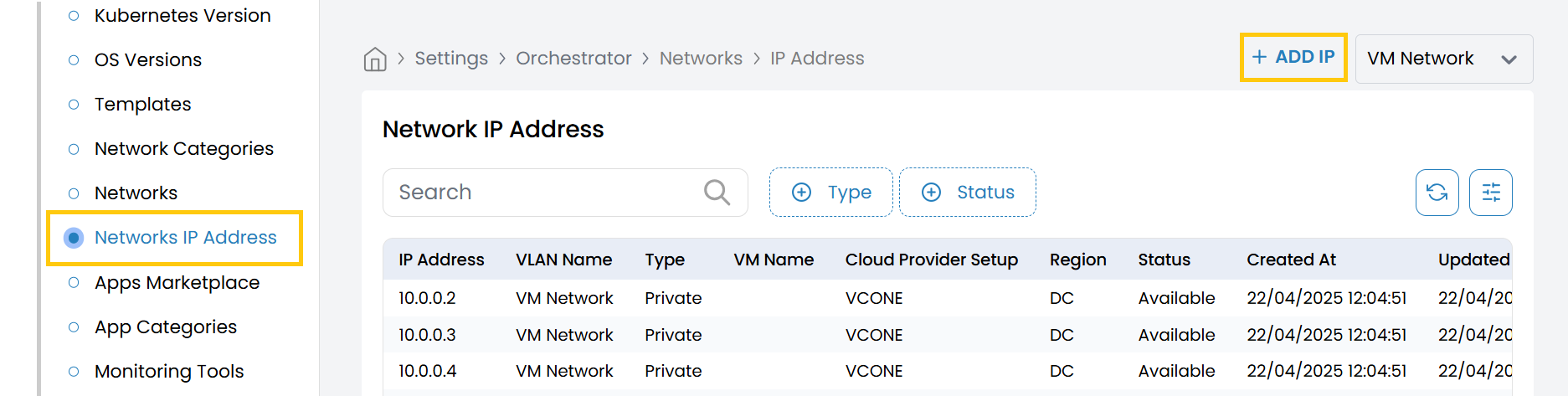
- From the left-hand side of the page under the Orchestrator section, click on Network IP Address to view the list of IP addresses.
- To add a new IP address, click on Add IP.
IP Address Configuration Fields
-
Choose Network: Select the associated network from the available list.
-
Type of IP: Choose whether the IP is public or private.
- Options: Public, Private
-
IP Address: Enter the specific IP address to assign (e.g.,
192.168.1.15). -
Status: Set the status of the IP address.
- Active – The IP is available for assignment.
- Inactive – The IP is reserved but not currently in use.
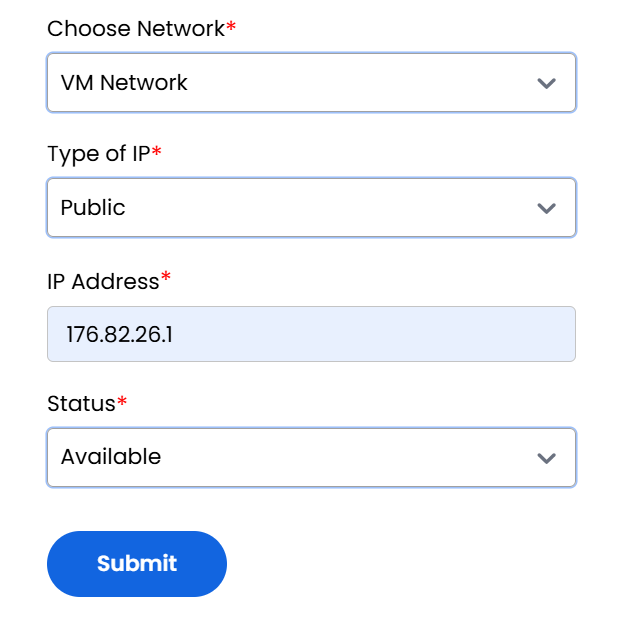
- Click Submit to save and register the IP address under the selected network. The IP will now be available for assignments within your infrastructure deployments.